Order Copilot

A WhatsApp ordering assistant for wholesale and cash & carry businesses — it turns typed messages, handwritten order-sheet photos, scanned PDFs, and voice notes into clean, confirmed, ERP-ready orders, in whatever language the customer uses, with no app or portal to install.

Reads orders from text, photos, PDFs, or voice notesMatches items to each customer's own product list automaticallyFlags mismatched or out-of-stock items before confirmingExports confirmed orders straight into your ERP
Text message
Order photo
PDF sheet
Voice note
Order confirmed

Five stages, one conversation

Every order moves through the same five stages, whether it arrives as a tidy typed list or a coffee-stained handwritten sheet: intake, matching, building, confirmation, and finalization. The system does the reconciling in between — a customer never has to know which stage they're in.

01

Order Intake

However the customer prefers to send it, it's accepted.

  • Accepts orders sent as plain WhatsApp text messages
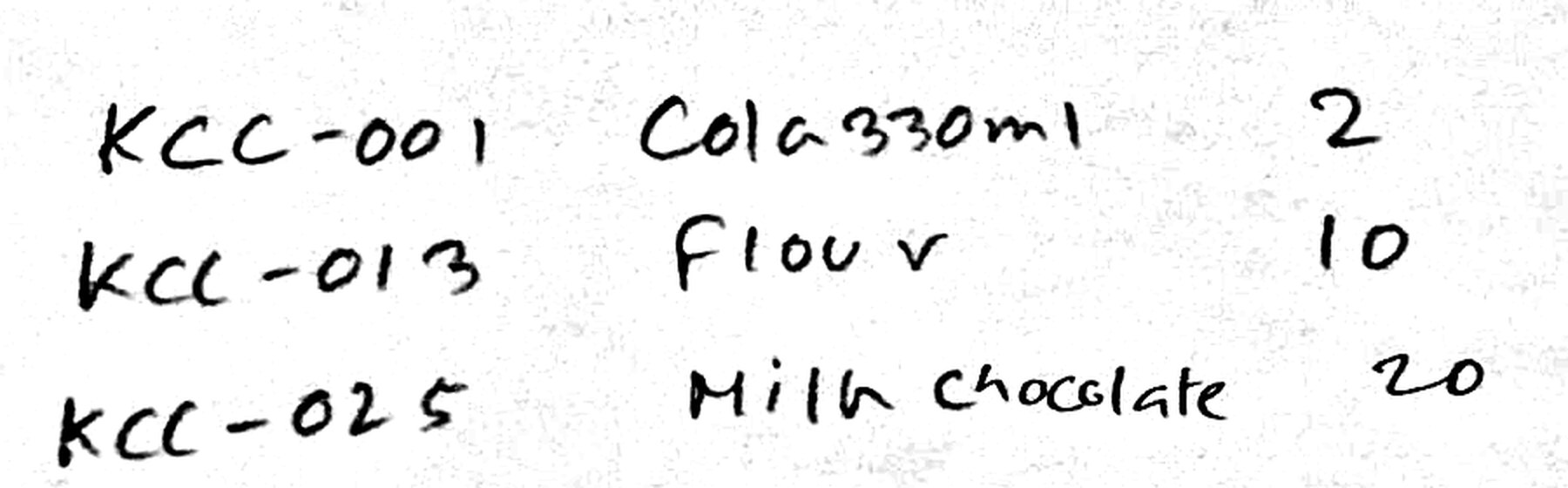
  • Accepts photos of handwritten order sheets, including messy handwriting
  • Accepts PDF and scanned document order sheets, including catalog-style sheets with article-number, name, and quantity columns
  • Accepts voice notes — a customer can simply speak an order instead of typing or photographing it
  • Reads article numbers even when written without a product name, and assumes a quantity of one when none is given
  • Works in any language the customer writes or speaks in, understanding local food and grocery terminology, units of measure, and common abbreviations out of the box
  • Recognizes brand names embedded in product names and matches requests against the right brand and variant
02

Smart Product Matching

Every line item gets reconciled against what the customer actually stocks.

  • Matches every requested item against the customer's own regular product list first, then the full catalog
  • Automatically confirms items when there's a single, clear, unambiguous match — no back-and-forth needed
  • Flags a likely mistake when a product code doesn't match the name given, and asks the customer to double check
  • Presents a pick-list when several similar or same-named products exist — different sizes, brands, or variants — plus an “enter it myself” and “skip this item” option
  • Shows stock status — in stock, low stock, or out of stock — alongside each option
  • Asks a follow-up question when a product is clear but the quantity is missing
  • Tells the customer clearly which items couldn't be found in the catalog at all, and invites them to try again
03

Conversational Order Building

One order can be built across as many messages as the customer needs.

  • Lets a customer build one order across multiple messages or images sent over time, rather than requiring everything at once
  • Recognizes natural replies like “done”, “no”, or “that's all” to know when the customer has finished adding items
  • Sends a gentle nudge if a customer goes quiet mid-order, to check whether they want to continue or wrap up
  • Lets a customer cancel an in-progress order conversationally, at any point
  • Automatically closes and cleans up orders that are abandoned and never completed
04

Order Review & Confirmation

Nothing is finalized until the customer has explicitly said yes.

  • Sends a full, readable order summary — items, quantities, and anything unavailable — before finalizing, automatically splitting long orders across multiple messages so nothing gets cut off
  • Requires an explicit customer confirmation, via a simple button reply, before an order is finalized
  • Automatically adds the correct bottle or container deposit line for any deposit-carrying product ordered
05

Order Finalization & Delivery

The confirmed order becomes a clean record the operations team can act on immediately.

  • Converts the confirmed order into a structured file, formatted for direct import into whichever ERP or ordering system the business already runs on — not locked to one platform
  • Files each finalized order under the correct customer account automatically
  • Emails the finalized order file to the operations team automatically, named with the customer and date and time for easy tracking
  • Keeps a running log of every order attempt and every item that couldn't be fulfilled, for follow-up and reporting

Behind the scenes

Reliability

  • Processes incoming messages strictly in the order they arrive, so a customer sending several photos in quick succession never gets mixed-up or duplicated results
  • Retries gracefully on stuck orders, and alerts the operations team when something needs manual attention
  • Automatically creates a customer record on first contact, and recognizes returning customers on every message after

Operational Visibility

  • Live dashboard showing the status of every order in the funnel — pending, confirmed, cancelled, or stuck — so staff can see what needs attention at a glance
  • Nightly refresh of product-matching data, so new or updated catalog items are searchable right away